Understand before designing
The people, the business and the competition come before the first screen.
ALIVELY · MVP · 2025
How I start a project: understanding the people, the business and the competition before designing anything. Then turning two founders’ idea into a live web app in July 2025.
01
Start
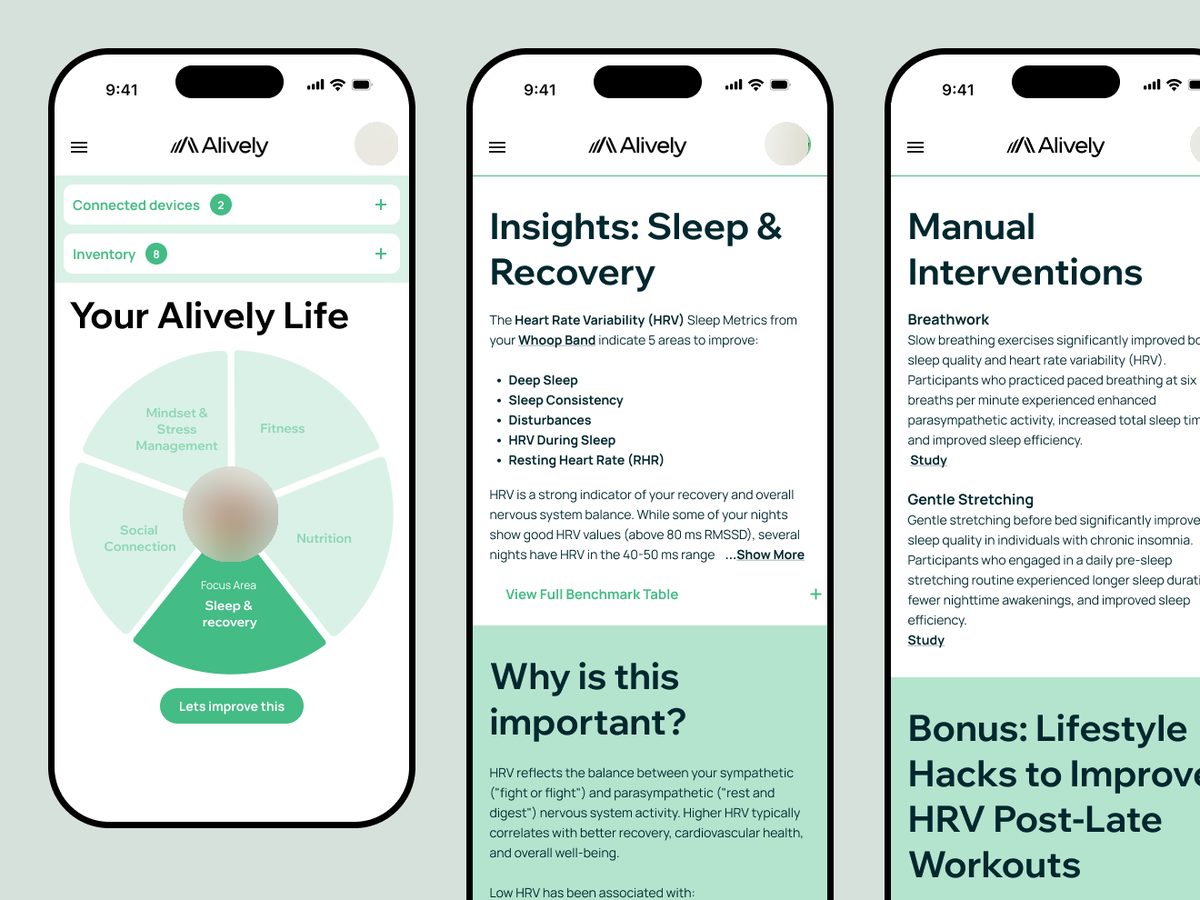
In March 2025 I was asked to help two non-technical founders build an MVP. They had a clear idea, a business plan and a first wireframe made in UIzard. It felt more like a website than an app: a profile page full of supplements, influencers and products.
I trained as a personal trainer, and many people I worked with weren’t sure how to reach their fitness goals. Alively’s idea was to make that simpler: find the one thing to work on, based on real data from the wearable you already own. That’s what drew me in.
02
Empathise
Before designing anything, I wanted to understand the idea as well as the founders did: what they wanted to build, who it was for, and how it would make money. I went through their plan and target market with them.
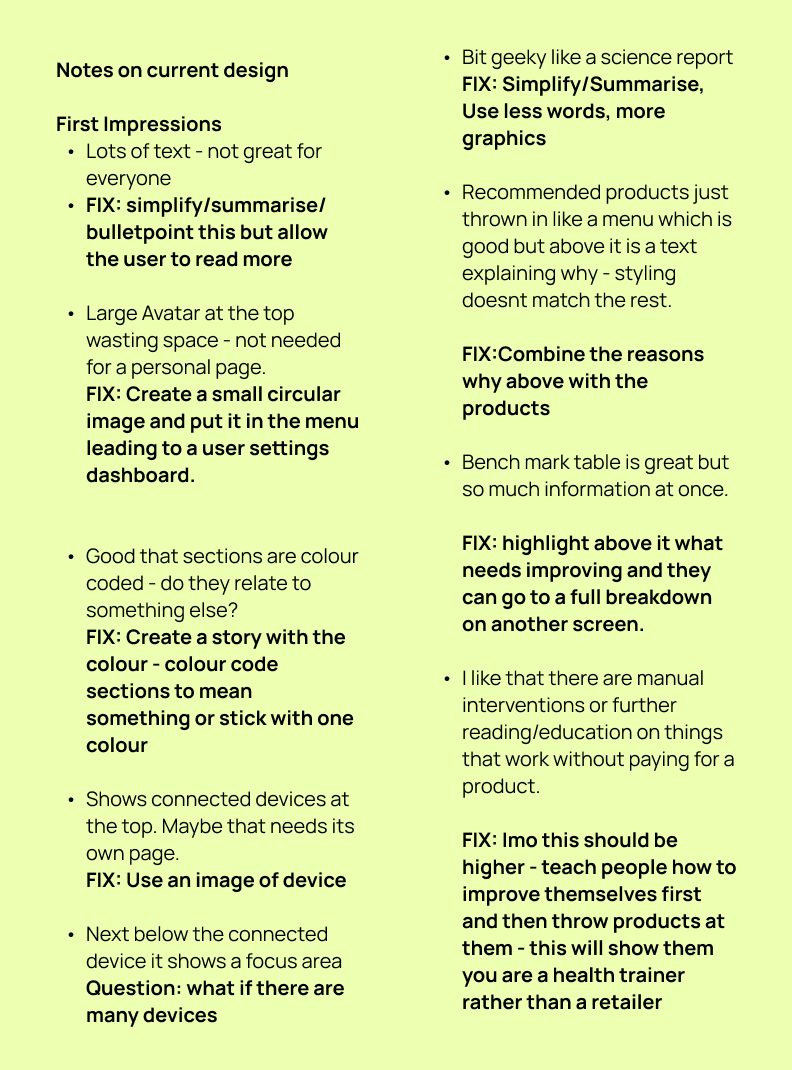
Then I reviewed their wireframe and wrote down what I saw, with a fix for each point. Lots of text: summarise, and let people read more if they want. Colour-coded sections that didn’t mean anything yet: give the colours a story, or use one. A benchmark table showing everything at once: highlight what needs improving and put the breakdown on another screen. And one note that shaped a lot of what came later: the wireframe led with products to buy, so I wrote that it should teach people how to improve themselves first, and feel like a health trainer rather than a retailer.
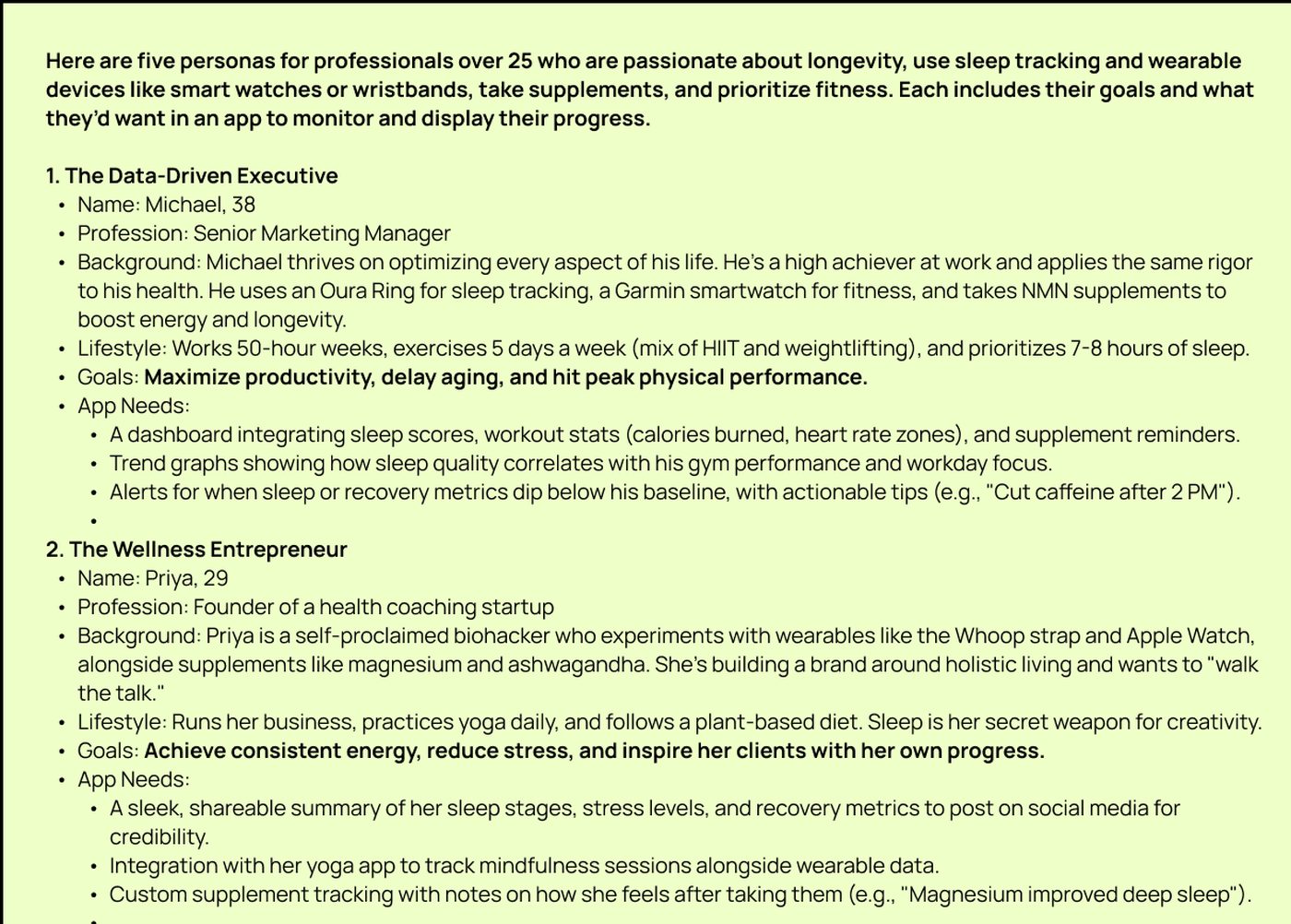
I couldn’t reach real users at that stage, so I used AI to draft five personas, based on the kinds of people I’d known over the years, each with a background, goals and what they’d want from an app. They weren’t research, but they were grounded in people I recognised, and they turned a market into people the team could talk about, like Michael, a senior marketing manager who tracks everything, or Priya, who runs a health coaching business. Real people came later, in testing.
03
Research
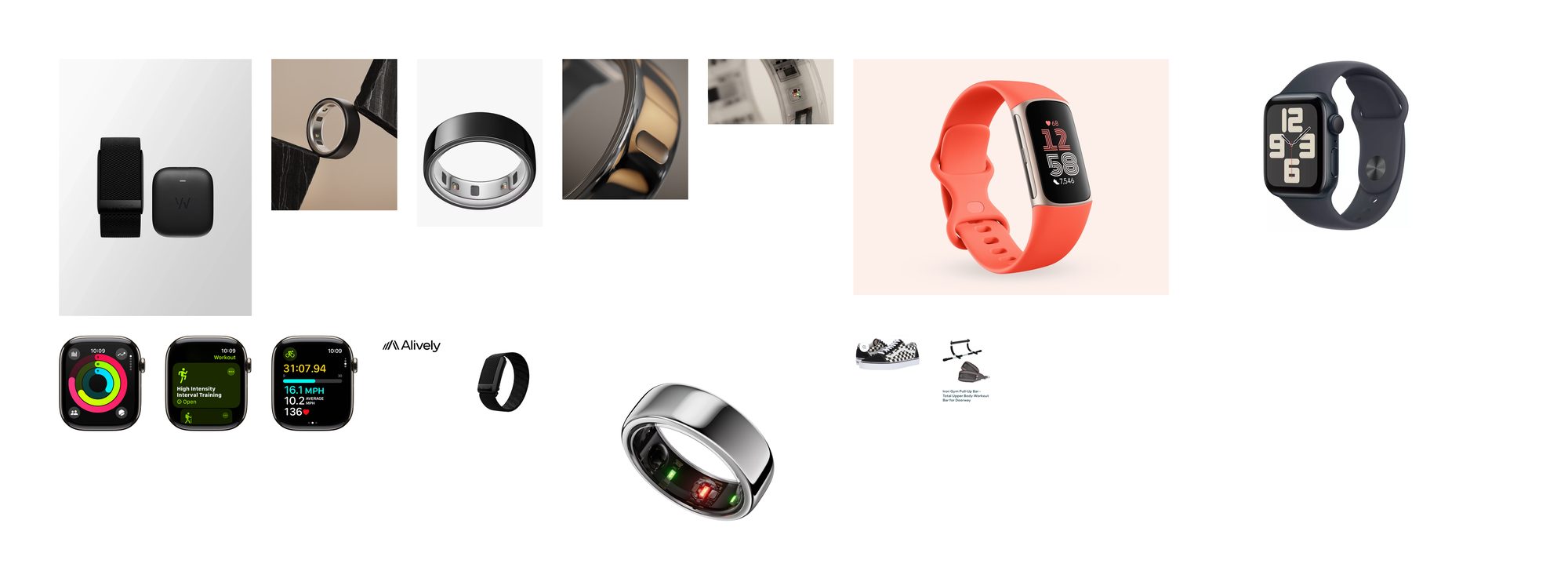
I started with a moodboard of the wearables people already own, to get my head into the wellness and wearables space: rings, bands and watches, and the apps that come with them.
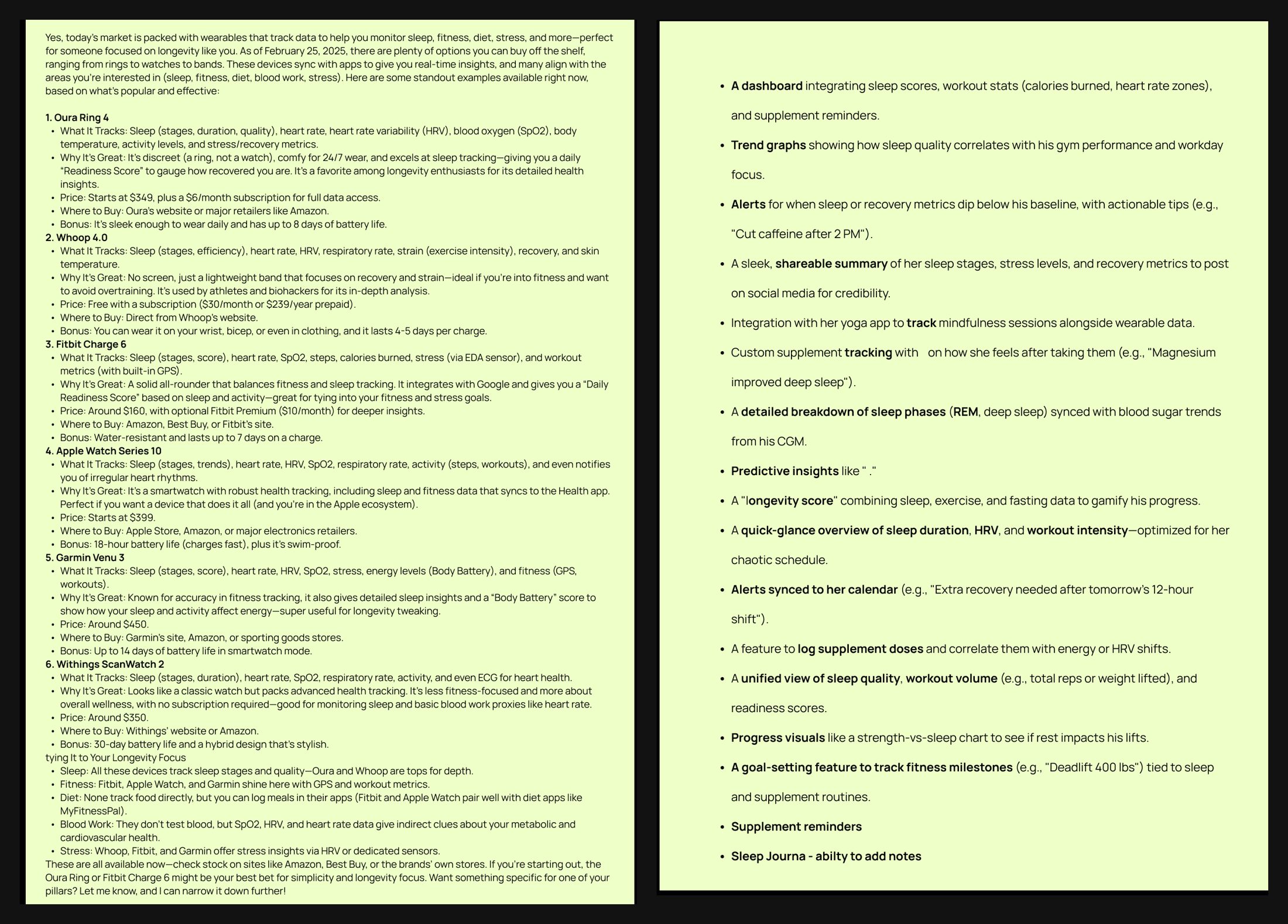
Then I used AI to scan the market: six popular devices, what each one tracks, what it costs, whether it needs a subscription, and how it covers the areas Alively cared about: sleep, fitness, diet, stress and blood work.
The pattern was clear. Every device tracked sleep, each brand had its own app, and several had their own score: a readiness score here, a body battery there. None tracked food or blood directly. People weren’t short of data. What was missing was something that brought it together across devices and turned it into one clear next step, and that was where Alively’s idea sat.
The personas’ app needs added up to a wish-list of 17 features, from trend graphs to a longevity score. The MVP needed far fewer: it did one thing, finding the one area to work on.
04
Define
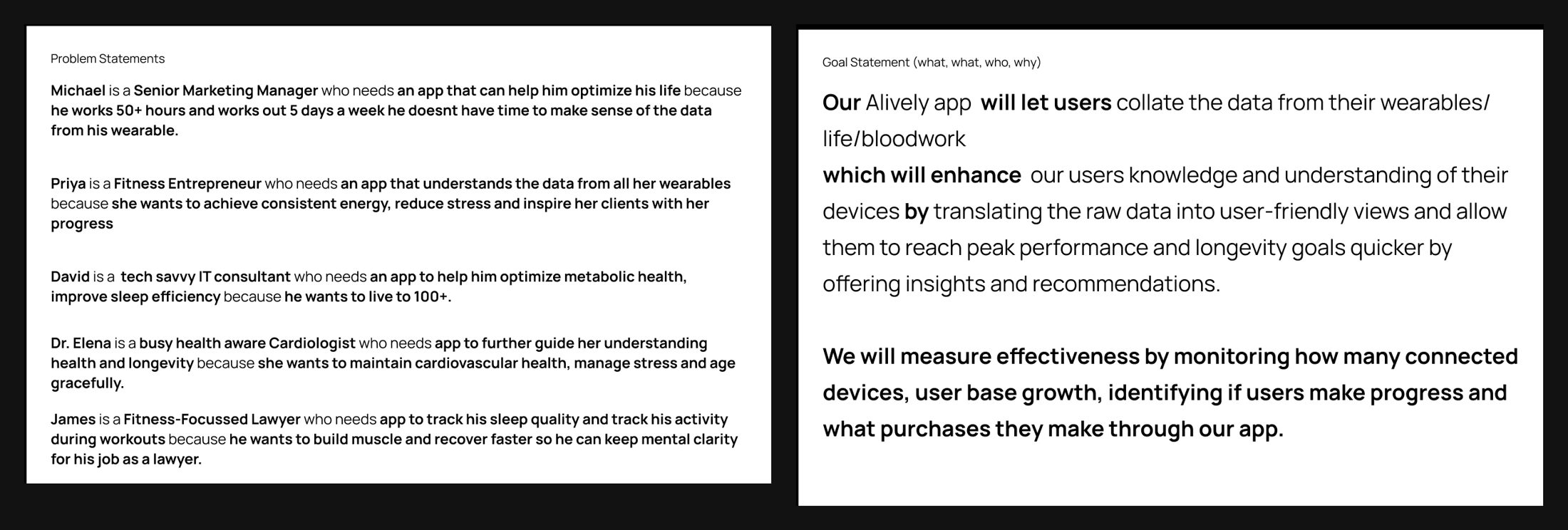
From the personas I wrote problem statements in one shape: who they are, what they need, and why. Michael needs an app that makes sense of his wearable, because he works 50-hour weeks and doesn’t have time to read the data himself. Then if/then statements to check the idea held up for each person, and a goal statement for the product, with how we’d measure whether it worked.
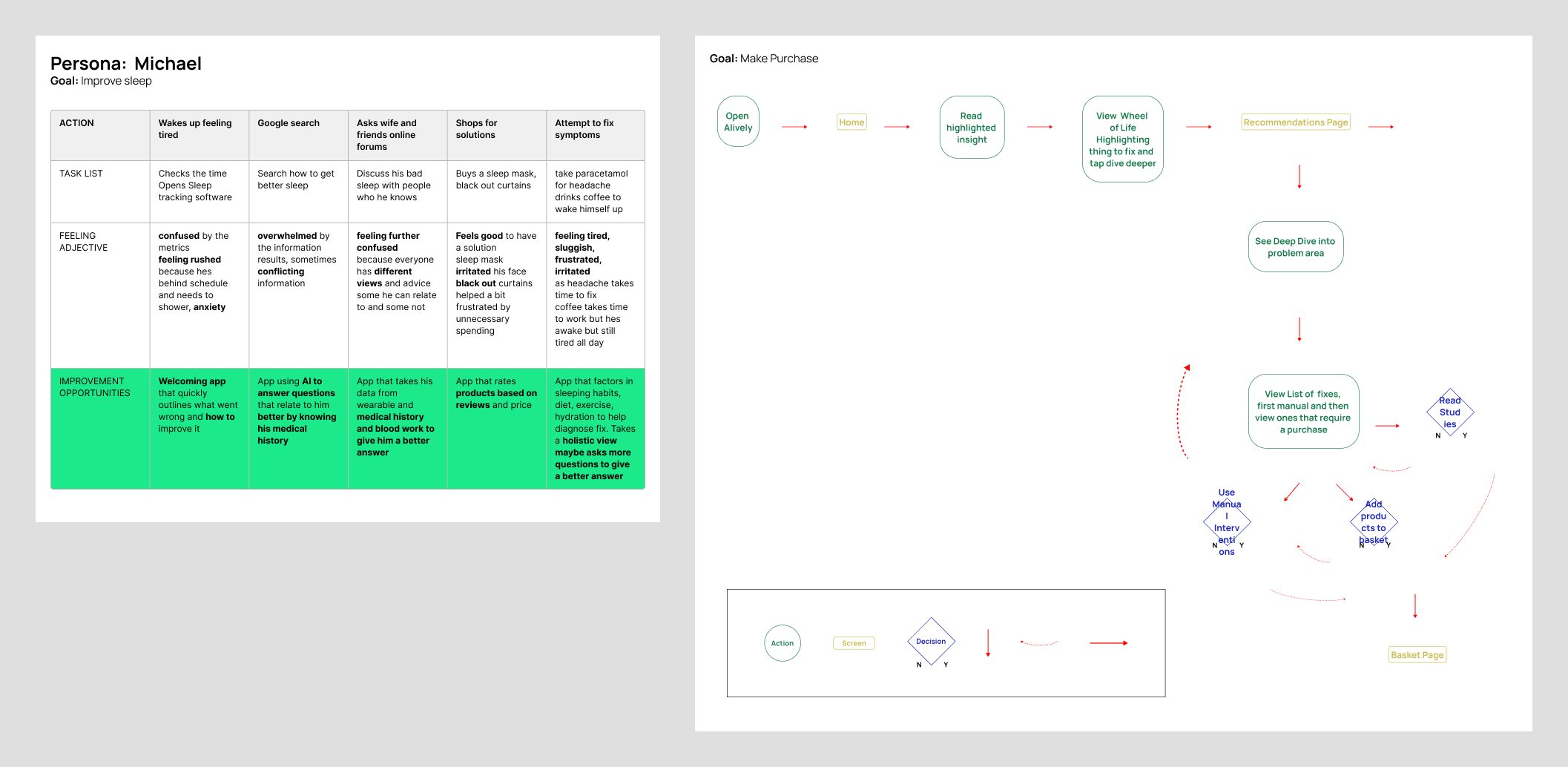
Then I mapped Michael’s journey with one goal: sleep better. He wakes up tired, checks his tracker and is confused. He searches online and finds conflicting answers, asks friends who all say something different, buys a sleep mask, and drinks coffee to get through the day. At each step I noted how he felt and what the app could do instead: tell him quickly what went wrong and how to fix it, answer his questions, and look at his sleep, exercise and habits together.
The first user flow came from that: open the app, read one highlighted insight, see it on a wheel of life, dive deeper, then get a list of fixes, free ones first, then ones you could buy. At that stage the goal was still a purchase, and the flow ended at a basket.
05
Ideate
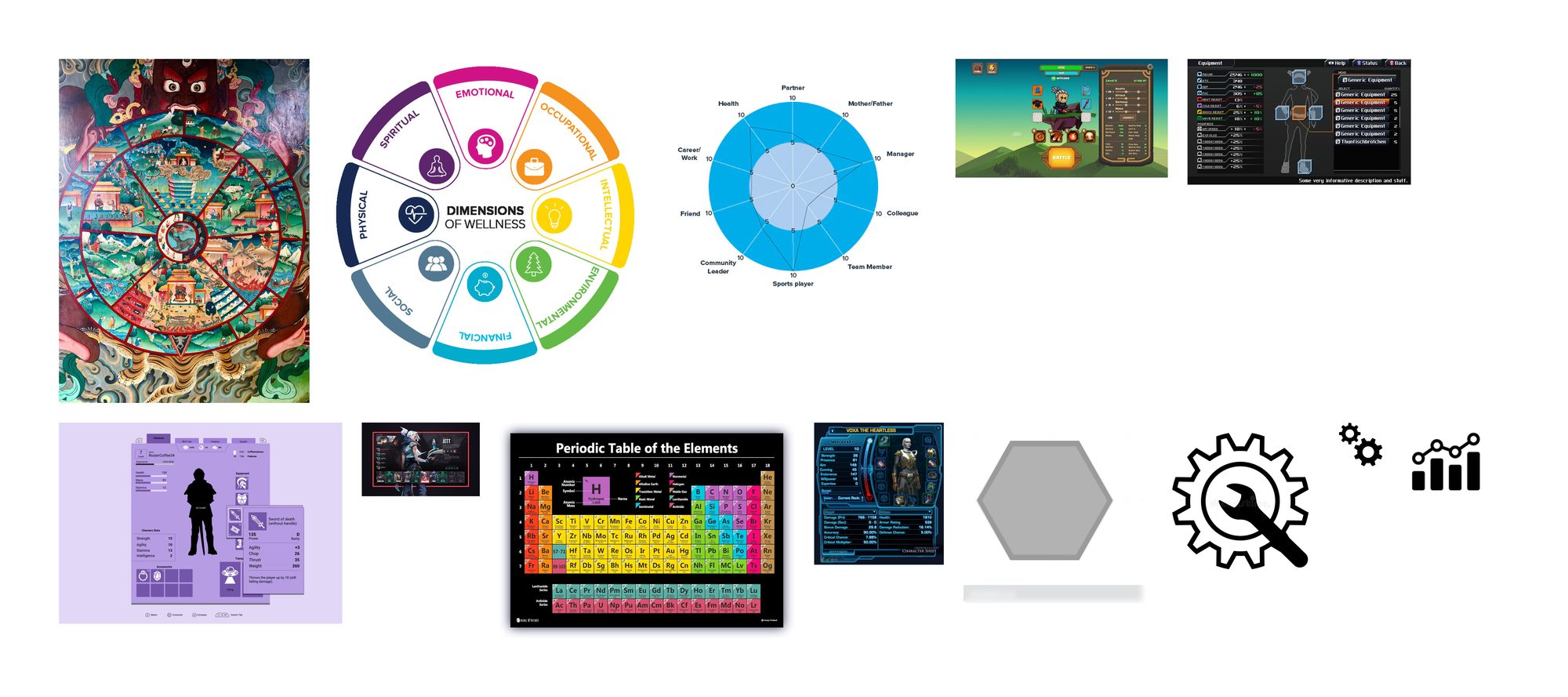
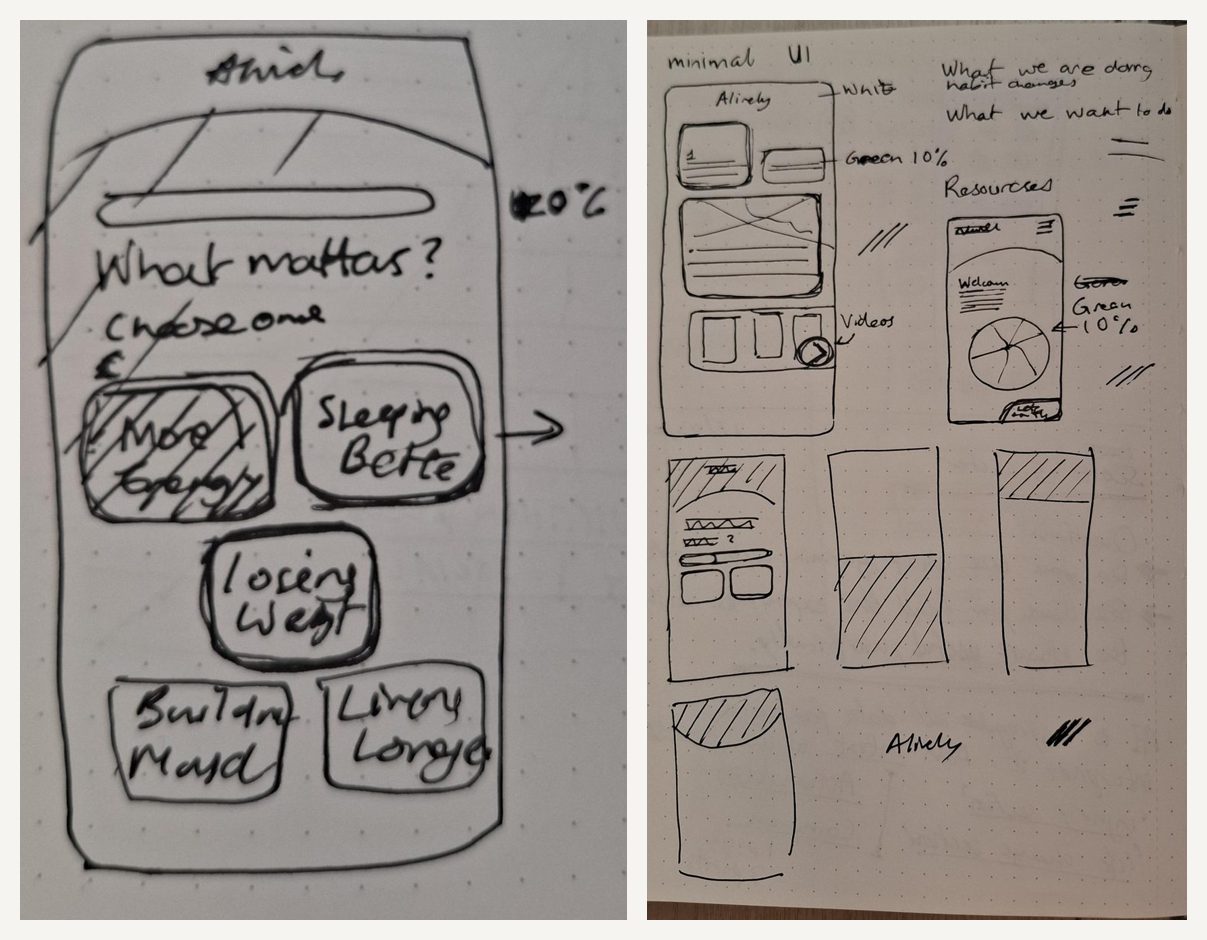
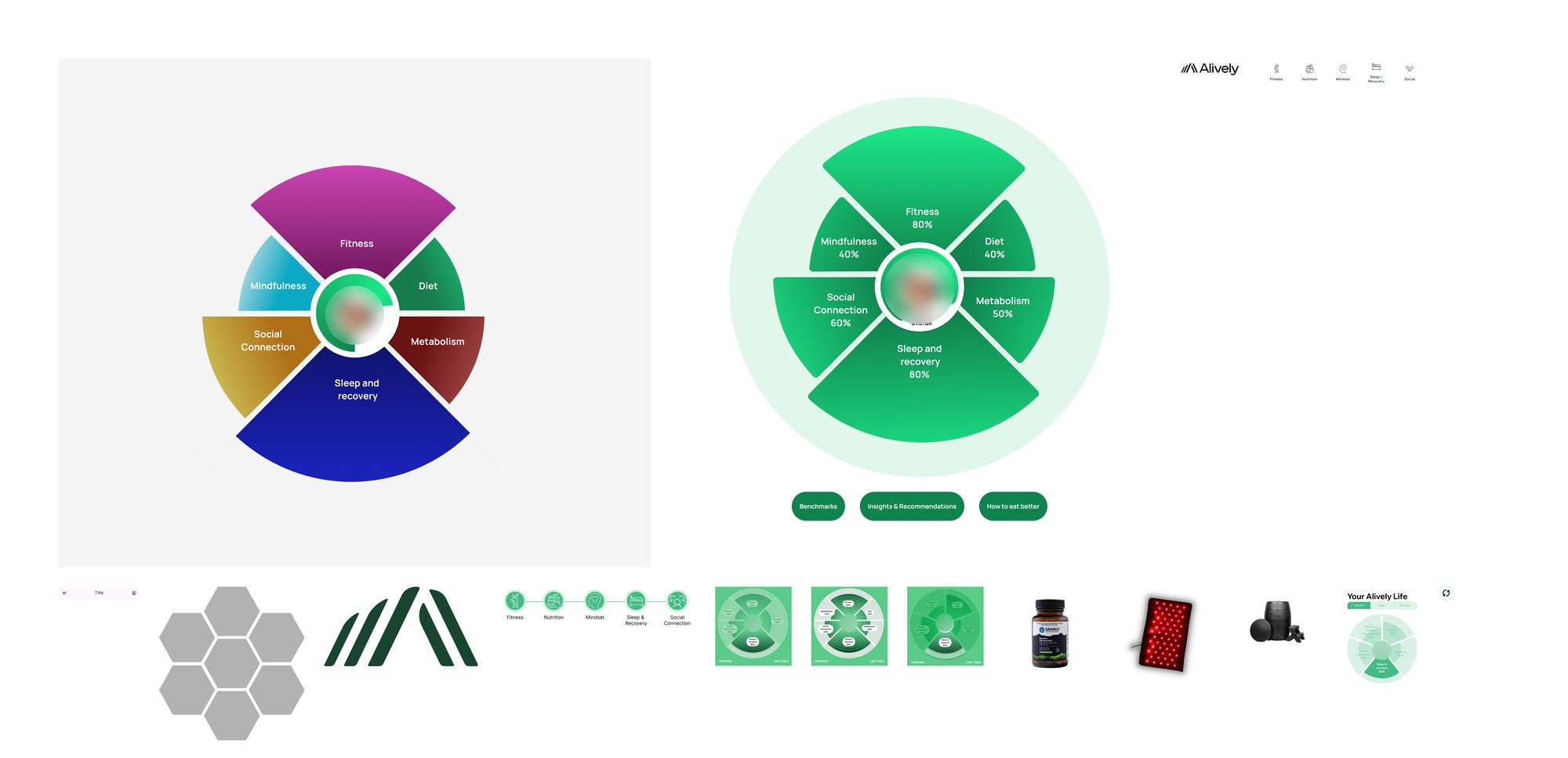
For ideas I went wider than wellness: a Tibetan wheel of life, the dimensions of wellness, radar charts, the periodic table, and character screens from games. I’ve played games for 20 years, and a good character screen shows a lot of stats at a glance and makes it obvious what to level up next.
Those ideas came together as a wheel: every area of your health in one circle, with you in the middle. I worked it through in a notebook and in Figma, from colourful segments to the Alively green, with scores and without. One early sketch already asked people to choose just one thing that matters to them.
06
Prototype
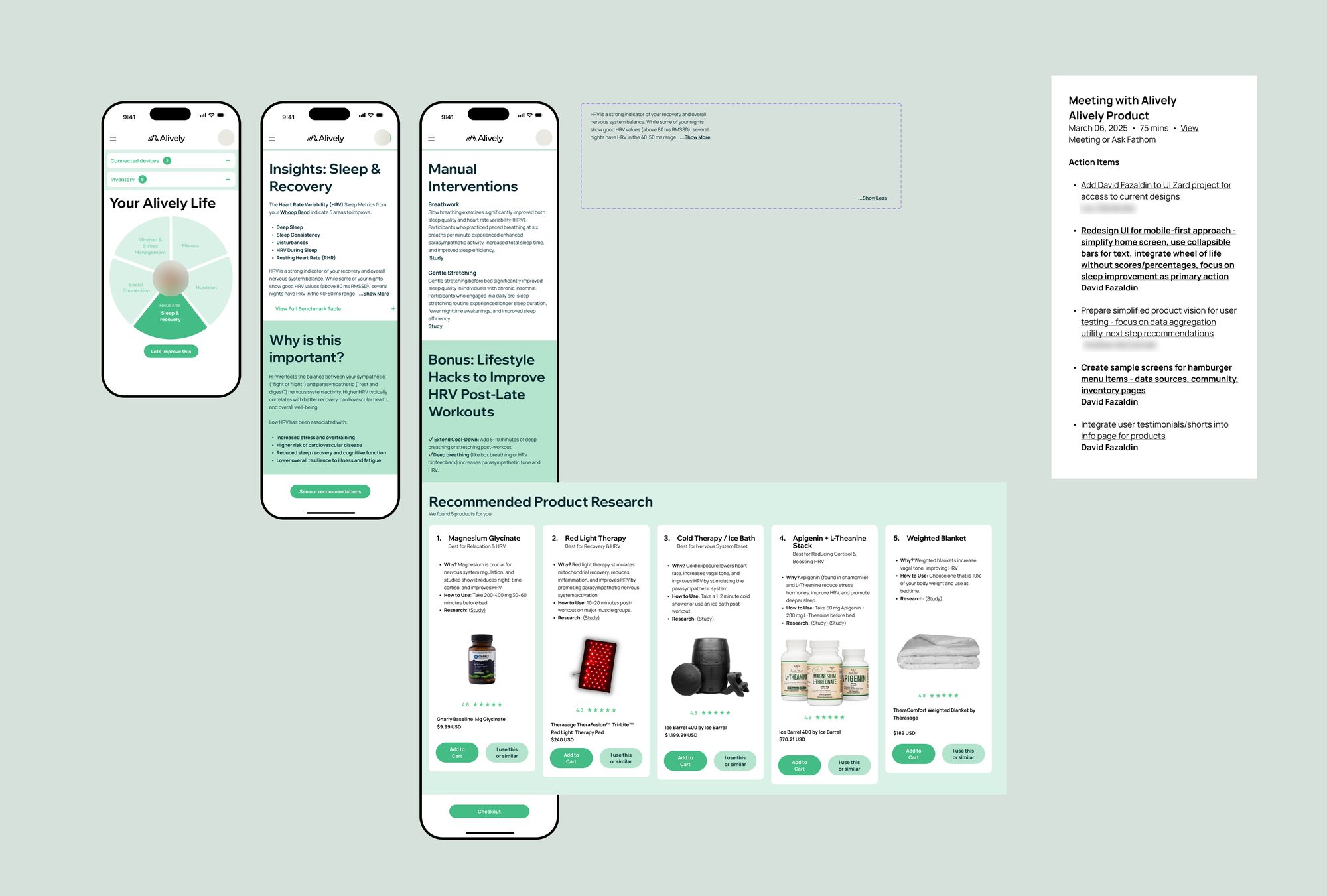
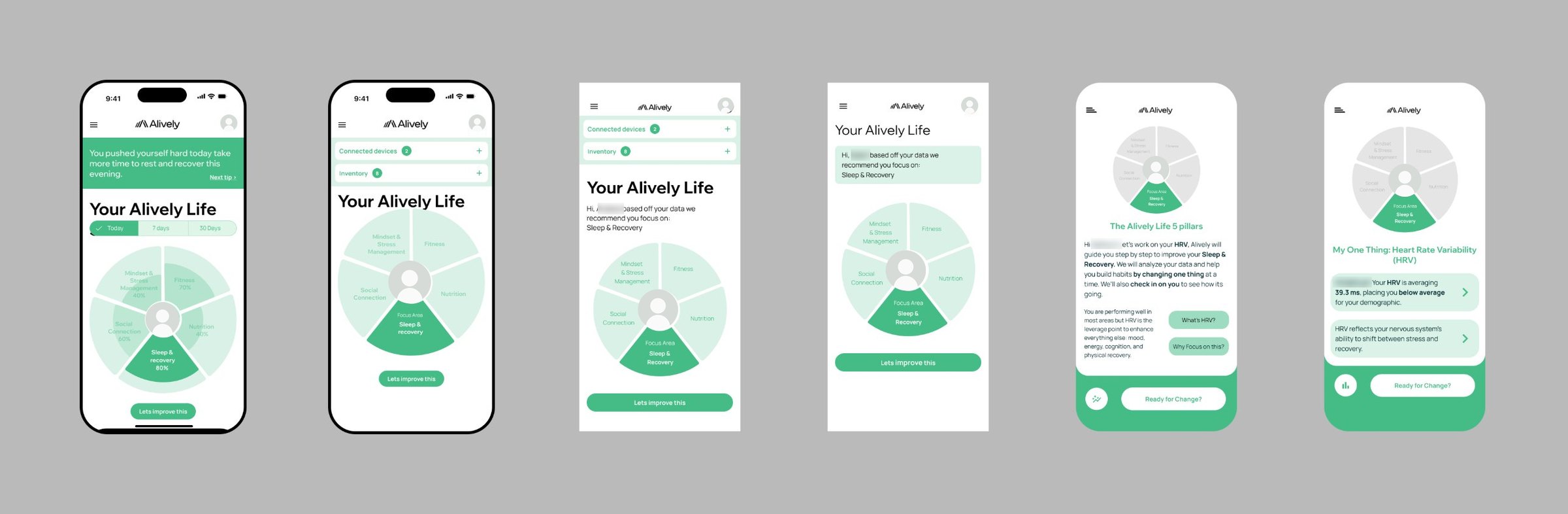
A product meeting on 6 March 2025 gave me a clear set of actions: design mobile-first, simplify the home screen, tuck long text into collapsible sections, keep the wheel of life but drop the scores and percentages, and make better sleep the main action.
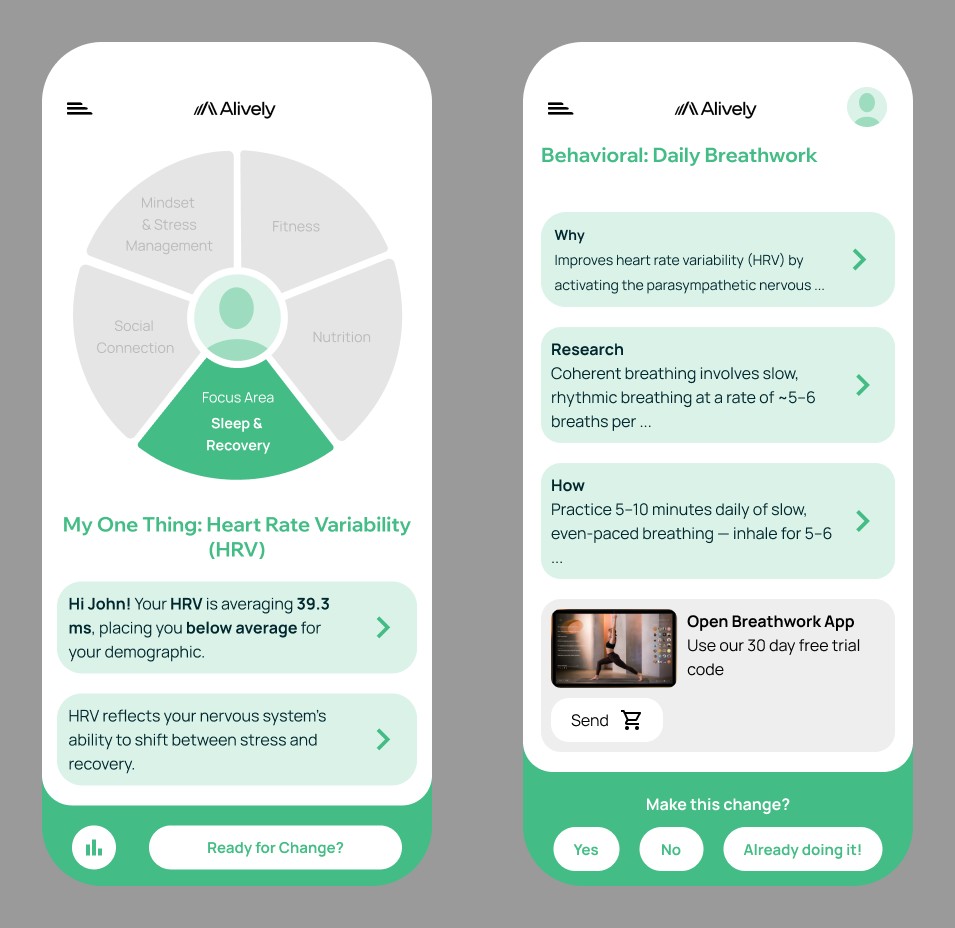
My hi-fi screens answered that brief: your wheel with one focus area, an insight about your sleep, free things you could do yourself, and then products. I also tested where the wheel could sit on the home screen. In the end it carried no numbers: it showed all your areas and highlighted the one to focus on.
07
Test
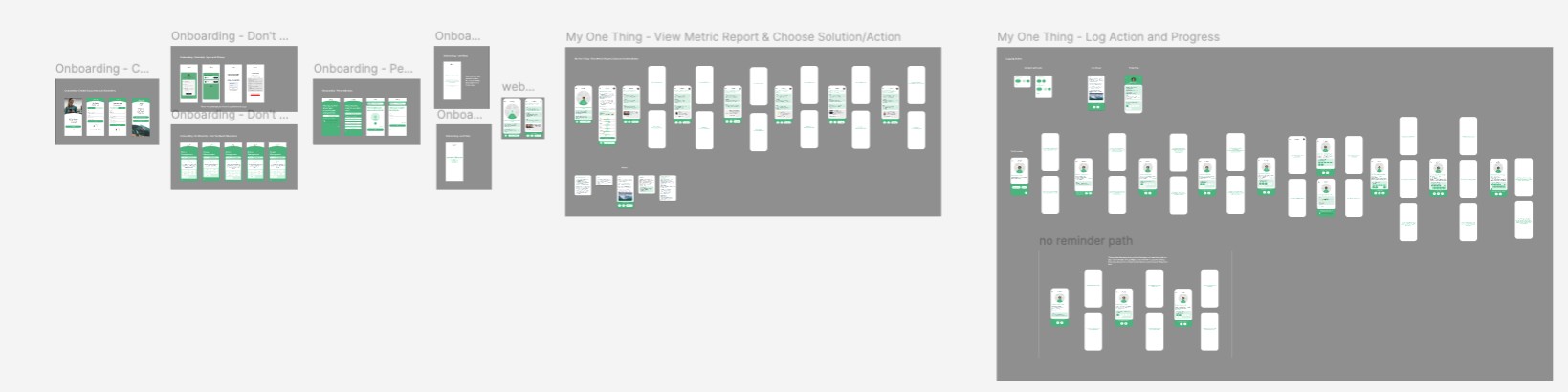
I built working Figma prototypes. The founders used them in sales calls to get clients interested, and test users went through them so we could see where they got stuck. The founders ran most of the conversations with testers and brought the insights back to me, and I turned them into changes to the flow.
As the flow firmed up, I built personalised prototypes for about five people, with their own data inside, so their feedback was about their real numbers rather than made-up ones.
08
Build
I suggested a web app for the first version: the quickest way to a working product, without app store restrictions. Working with the founders and the engineering team, I designed the whole flow, from login and syncing your wearable to onboarding, your metric and logging. The outside engineering team built it, and it was live by July 2025.
It synced people’s wearable data, showed the metric that needed most work against a benchmark, and let them choose a recommendation. Logging asked a simple Yes or No: did you do it? After 7 days it asked how you felt, and at 30 days whether you wanted to try something else.
09
Learn
Once people used it, two things came back. The metrics page confused them: open it up and you saw every metric in that area at once. And people didn’t want an app selling them products, especially once Alively moved to offering it through employers. That echoed the note on the first wireframe: teach first.
Both lessons went into the next version, a habit app on iOS and Android that shows only the one metric that needs work, and has no shop.


10
Looking back
The people, the business and the competition come before the first screen.
One sentence about who, what and why gives everyone something to test ideas against.
AI got me to drafts quickly: personas, research, options. Testing and the team made the decisions.
A Tibetan painting and a game character screen shaped the wheel more than other health apps did.
11
Looking back
The founders ran most of the interviews and fed the insights back to me. I’d sit in on them, and do further interviews of my own with the people who tested it.
I pushed hard to get to finished screens and built components that were never used. More time in sketches and flows, with the team, would have got us there faster.